Technical Support
CG FC200 Error 0602 “Account Not Exist” – Solution Guide
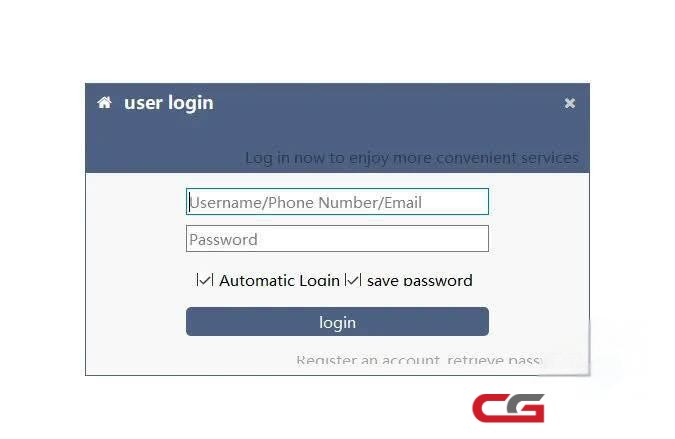
When attempting to reset the password in the CG FC200 software, you may encounter Error 0602 with the message “Account does not exist.”
Solution: Follow the steps below to fix the Error 0602 and restore proper connectivity:
Steps:
First close the FC200 software, and download from their website the latest fc200 appThen install.
Start the software.
Then go to Settings on the top right, and change language and server.
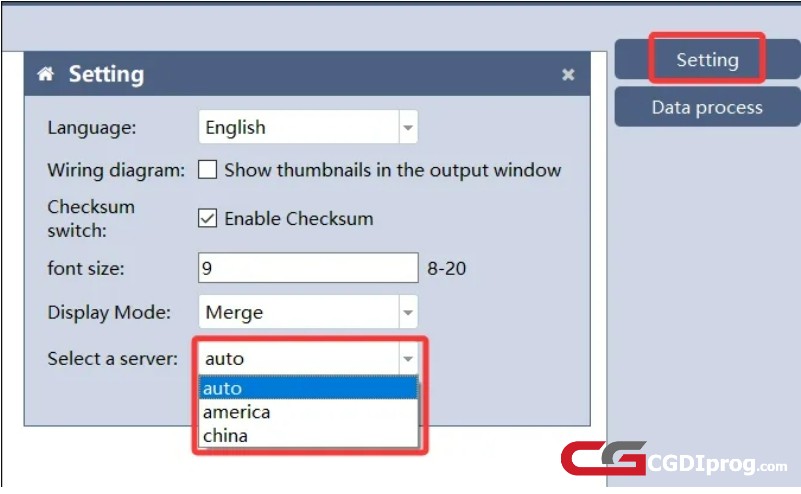
Restart the FC200 app.
If there isn't any update, try to bind /register again the FC200.
By following these steps, you should be able to resolve Error 0602 (Account Not Exist) and restore full connectivity to your CG FC200 software.